Library Guide
Repository overview, install entry points, inventory commands, and contribution path.
Team Agent Skills
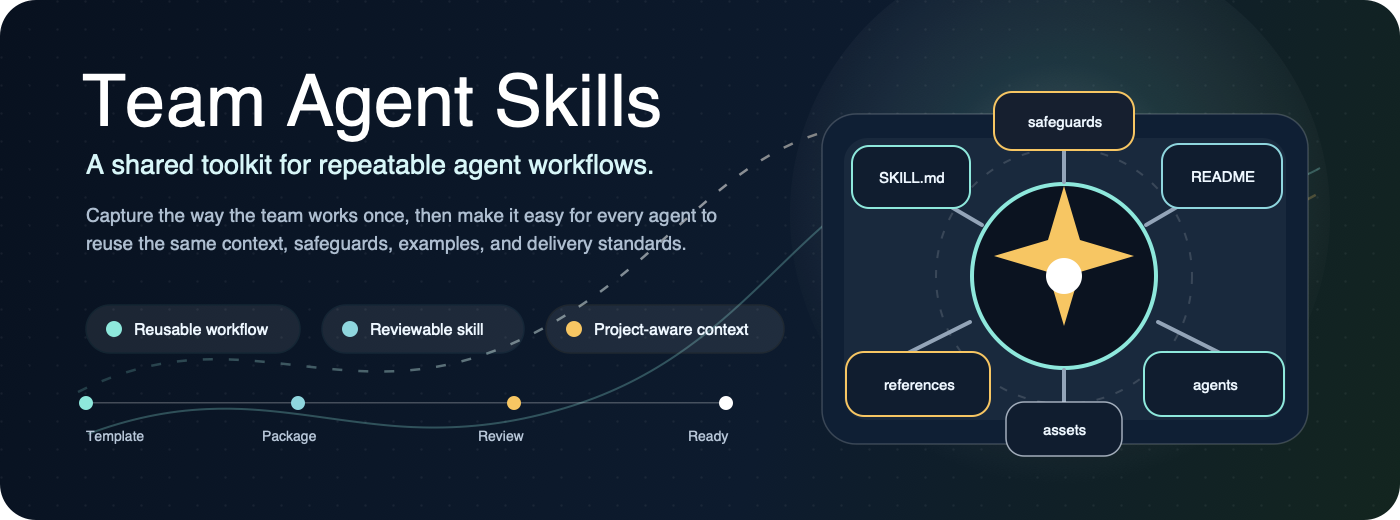
This repository is the team library for reusable agent skills. A skill teaches an agent how to do a repeatable team workflow consistently, such as creating Azure DevOps PBIs, preparing QA checklists, summarizing requirements, or following a project documentation pattern.
Start here when you want to use a skill. Use CONTRIBUTING.md when you want to add or change one.
Install A Skill
Click here for agent install instructions.
You can point an agent at this repository and give it this prompt:
Use the Agent Skills repository at https://dev.azure.com/difzses/SDMCC/_git/SDMCC-Agent-Skills. Read README.md, AGENTS.md, CONTRIBUTING.md, docs/installing-agent-skills.md, docs/new-user-setup.md, docs/agent-mode-instructions.md, and docs/skill-field-reports.md. Install the Azure DevOps PBI skill for the agent I am using. If you are Codex, use scripts/setup-azure-devops-pbi-skill.sh codex. If I ask for GitHub Copilot or Cursor, use the matching command in docs/installing-agent-skills.md. If I use a Claude-style or custom agent, use the committed skill plus docs/agent-analytics-contract.md without creating a Codex-only plugin or dashboard credential requirement. Use normal az login with my work account. Do not ask for a shared PAT. If Azure DevOps CLI extension install fails with SSLCertVerificationError, follow the certificate guidance in docs/new-user-setup.md. After the run, summarize validation and any safe field-report category from docs/skill-field-reports.md.Or open a terminal in this repository and use the copy button on the command block for your agent.
GitHub Copilot:
scripts/setup-azure-devops-pbi-skill.sh copilot /path/to/project-repoCodex:
scripts/setup-azure-devops-pbi-skill.sh codexCursor:
scripts/setup-azure-devops-pbi-skill.sh cursor /path/to/project-repoAfter setup passes, ask your agent to use the skill naturally, for example:
Create the PBI for this work under Feature 12345.Skill Library
| Logo | Skill | Status | Use It When | Start Here |
|---|---|---|---|---|
 | azure-devops-pbi | Production Ready | You need to create or update Azure DevOps PBIs, child tasks, acceptance criteria, or testing tasks from current work context. | Install and use |
| - | meeting-to-backlog-brief | Experimental | You need to turn meeting notes, stakeholder feedback, or planning discussion into decisions, action items, risks, and backlog candidates. | Install and use |
| - | qa-test-plan-builder | Experimental | You need QA scenarios, regression coverage, acceptance-test coverage, edge cases, or automation candidates from requirements, PBIs, bug reports, or PR diffs. | Install and use |
| - | release-readiness-review | Experimental | You need to prepare, review, or ship a release, deployment, production change, hotfix, smoke checklist, rollback plan, or go/no-go decision. | Install and use |
| - | skill-review-readiness | Experimental | You need to review, promote, submit, or harden a proposed agent skill before Team Review, Production Ready, Required, or broad installation. | Install and use |
Web Inventory
This repo includes the Skills web app for searching the skill inventory, submitting skill requests, and viewing PBI agent analytics. Local development also supports creating draft skill files and preparing or running local install requests.
npm run site:check
npm run infra:check
npm run skills:lambda:check
npm run skills:lambda:build
npm run skills:site-config:check
npm run site:dev
npm run analytics:docs
npm run analytics:fixtures -- --check
npm run analytics:collector:fixture -- --check
npm run analytics:collector:lambda:fixture
npm run analytics:recommendation:lambda:fixture
npm run analytics:azure-source -- --check-config
npm run analytics:dashboard-api:fixture -- /v1/dashboard/summary
Open http://127.0.0.1:4173/site/. The analytics view is available at http://127.0.0.1:4173/site/analytics.html. See site/README.md for hosted behavior, local app scope, API behavior, and fixture data notes.
The proposed hosted dashboard architecture, event model, API shape, collector path, recommendation workflow, and operating record are documented in PBI Agent Analytics Dashboard Proposal, Skills Architecture, Agent Analytics Metadata Contract, Skills Metric Dictionary, Analytics Data Governance, Skills Collector, Agent Mode Instructions, Skill Field Reports, Skills Status, and Skills Operations.
Before adding Skills analytics work, read the Skills Architecture layer boundary. Use this split:
- Portable agent workflow guidance belongs in
skills/and skill-facing setup docs. - Deterministic metadata validation, examples, collector logic, dashboard APIs, recommendations, and deployment checks belong in
scripts/,fixtures/,lambda/,infra/, andsite/. - Host-specific plugins, IDE rules, or instruction packs are optional wrappers. They must call or mirror the committed skill and repo-owned metadata commands; they must not become the canonical implementation.
- MVP setup must keep working for Codex, Cursor, GitHub Copilot, Claude-style agents, and future hosts without local dashboard API credentials.
The proposal includes the recommended Azure Boards collector architecture at assets/pbi-agent-analytics-collector.svg.

Use A Skill
- Install the skill using the setup command above.
- Give the agent enough context to understand the work.
- Ask the agent to use the skill naturally.
Useful context can include requirements, meeting notes, spreadsheets, repo files, branch names, related Azure DevOps work item links, or a short conversation with the agent.
The setup script reads the Azure DevOps project from skills/azure-devops-pbi/references/project-profile.md, installs the skill for your agent, checks Azure CLI access, starts az login if needed, configures that Azure DevOps project, and runs a read-only access check only for that project.
See New User Setup if the setup command fails.
Test A Skill
Workflow skills should be tested with realistic dry-run scenarios before the team relies on them. The Azure DevOps PBI skill includes test scenarios for parent selection, project selection, nearby PBI patterns, tester assignment, Azure access failures, board fields, and partial-write recovery.
Contribute A Skill
New personal agent workflows are welcome when they are reusable, safe to share, and useful to the team.
- Read CONTRIBUTING.md.
- Codex agents should also follow AGENTS.md.
- Start from
skills/_template/. - Keep secrets, PATs, credentials, raw project data, and one-off prompts out of this repo.
- Update this Skill Library when adding, renaming, deprecating, or changing the status of a skill.
Lifecycle: Experimental -> Team Review -> Production Ready -> Required or Deprecated.
Repository Map
.
├── README.md
├── CONTRIBUTING.md
├── package.json
├── server.mjs
├── docs
│   ├── azure-devops-pbi-test-scenarios.md
│   ├── agent-analytics-contract.md
│   ├── analytics-data-governance.md
│   ├── agent-mode-instructions.md
│   ├── coworker-azure-devops-cli-ssl-note.md
│   ├── installing-agent-skills.md
│   ├── new-user-setup.md
│   ├── pbi-agent-analytics-dashboard.md
│   ├── sdmcc-clawdmarks-pattern-port-plan.md
│   ├── skill-field-reports.md
│   ├── skills-metric-dictionary.md
│   ├── skills-operations.md
│   ├── skills-status.md
│   ├── skills-library-audit.md
│   ├── skills-collector.md
│   └── skills-architecture.md
├── fixtures
│   └── agent-analytics
│       ├── azure-boards-snapshot.json
│       └── comments.json
├── infra
│   └── skills
│       ├── README.md
│       └── cloudformation.json
├── lambda
│   ├── skills-collector
│   │   └── index.mjs
│   ├── skills-dashboard-api
│   │   └── index.mjs
│   └── skills-recommendations
│       └── index.mjs
├── scripts
│   ├── build-site-inventory.mjs
│   ├── check-azure-devops-access.sh
│   ├── agent-analytics-collector-lib.mjs
│   ├── agent-analytics-lib.mjs
│   ├── aws-collector-adapters.mjs
│   ├── azure-boards-source-lib.mjs
│   ├── build-skills-lambda-artifacts.mjs
│   ├── collector-lambda-handler.mjs
│   ├── dashboard-api-handler.mjs
│   ├── dashboard-api-lib.mjs
│   ├── dashboard-store-adapters.mjs
│   ├── deploy-skills-aws.sh
│   ├── parse-agent-analytics-metadata.mjs
│   ├── recommendation-engine-lib.mjs
│   ├── recommendation-lambda-handler.mjs
│   ├── run-dashboard-api-fixture.mjs
│   ├── run-agent-analytics-azure-source.mjs
│   ├── run-agent-analytics-collector-fixture.mjs
│   ├── run-agent-analytics-doc-examples.mjs
│   ├── run-agent-analytics-fixtures.mjs
│   ├── run-collector-lambda-fixture.mjs
│   ├── run-recommendation-lambda-fixture.mjs
│   ├── install-skill.sh
│   ├── inventory-lib.mjs
│   ├── setup-azure-devops-pbi-skill.sh
│   ├── write-skills-site-config.mjs
│   └── validate-skills-infra.mjs
├── site
│   ├── README.md
│   ├── analytics.html
│   ├── analytics.css
│   ├── analytics.js
│   ├── skills-config.js
│   ├── skills-config.hosted.example.js
│   ├── app.js
│   ├── index.html
│   ├── styles.css
│   ├── assets
│   └── data
└── skills
    ├── _template
    ├── azure-devops-pbi
    │   ├── SKILL.md
    │   ├── README.md
    │   ├── assets
    │   │   ├── icon.png
    │   │   └── icon.svg
    │   └── references
    │       └── project-profile.md
    ├── meeting-to-backlog-brief
    ├── qa-test-plan-builder
    ├── release-readiness-review
    └── skill-review-readiness
README visuals use PNG previews generated from SVG source files so Azure DevOps renders them consistently.
Contract Scope
Each government contract keeps its own Agent Skills repository. Shared team workflows can stay aligned when project leads coordinate them, but contract identity, default Azure DevOps project, repo URLs, and local vocabulary should live in each skill's references/project-profile.md file.
Repository access and Azure Boards access are separate. Normal setup validates only this repo's configured Azure DevOps project. Users do not need to know about or have access to any other contract project.
Support
If a skill does not behave the way the team expects, update the skill documentation rather than relying on memory or one-off prompting. The purpose of this repository is to make the best version of the workflow reusable for everyone.